> ## Documentation Index
> Fetch the complete documentation index at: https://help.chainbook.app/llms.txt
> Use this file to discover all available pages before exploring further.
# Welcome to Chainbook
> Track, organize, and analyze your crypto transactions across TRON and Ethereum networks
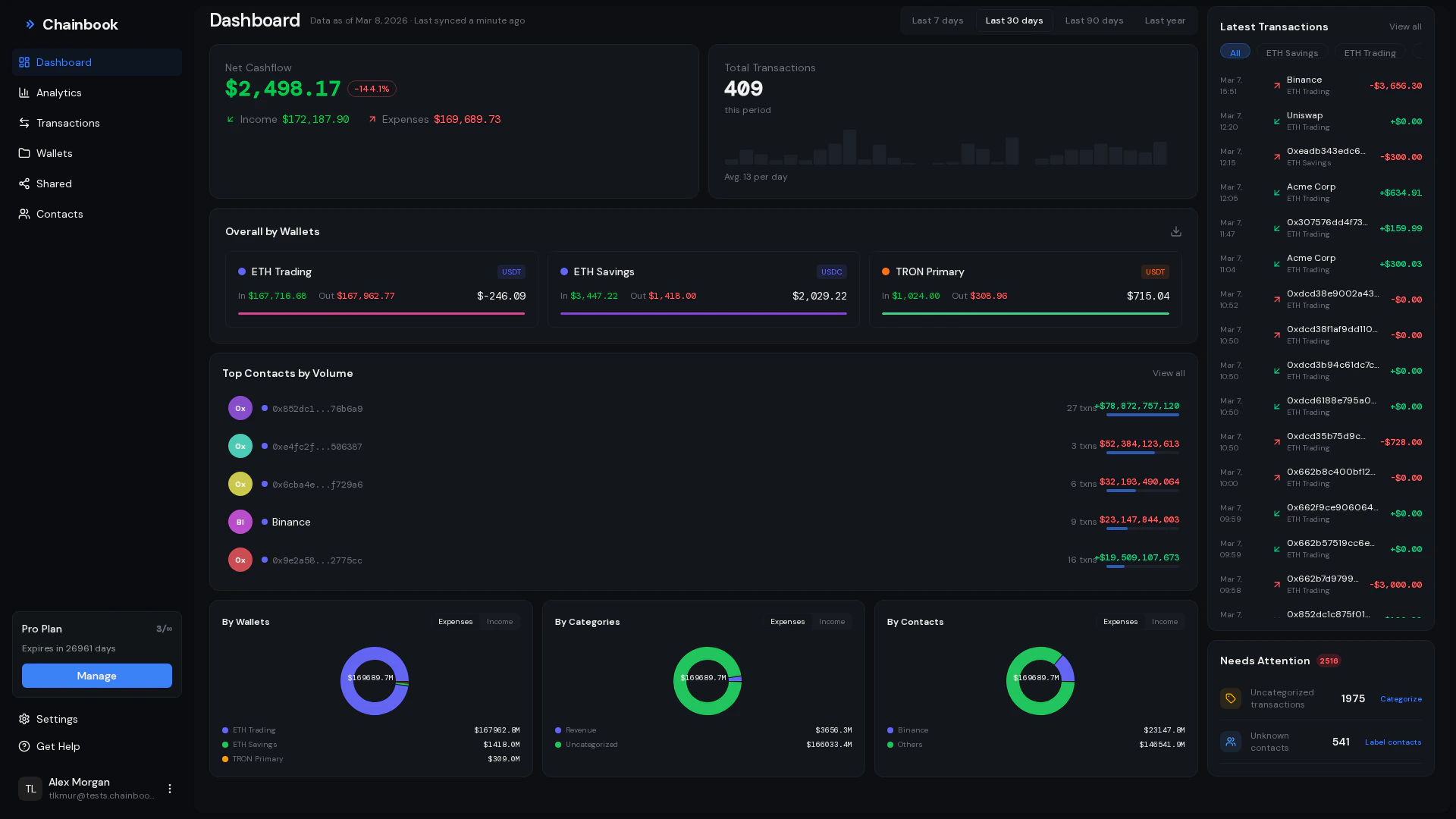 ## What is Chainbook?
Chainbook is a powerful crypto transaction tracking platform designed for individuals and teams who need to manage and understand their blockchain activity. Whether you're tracking personal investments, managing business finances, or collaborating with a team, Chainbook provides the tools you need.
Track transactions across TRON and Ethereum networks from a single dashboard.
Organize assets into wallets and categorize transactions automatically.
Share wallets with team members and collaborate on transaction tracking.
Get insights with charts, reports, and exportable data.
## Key Features
### Transaction Tracking
Automatically sync and monitor all incoming and outgoing transactions from your connected assets. Chainbook pulls transaction data directly from the blockchain, ensuring accuracy and completeness.
### Wallet Organization
Group related assets into wallets to keep your crypto activities organized. Perfect for:
* Separating personal and business assets
* Managing multiple clients or entities
* Tracking different investment strategies
### Smart Categorization
Assign categories to transactions for better organization and reporting. Use auto-categorization to automatically label transactions based on patterns and contacts.
### Contact Management
Create a contact book of known addresses with friendly names. When transactions involve known contacts, Chainbook displays their names instead of long blockchain addresses.
### Team Collaboration
Invite team members to view and collaborate on wallets. Perfect for:
* Business partners tracking shared investments
* Finance teams monitoring company assets
* Accountants reviewing client transactions
### Export & Reporting
Export your transaction data as CSV files for accounting, tax reporting, or further analysis.
## Getting Started
Ready to start tracking your crypto transactions?
Get up and running in under 5 minutes.
See which blockchain networks Chainbook supports.
## Need Help?
Explore our detailed feature documentation.
Step-by-step tutorials for common tasks.
Contact our support team.
## What is Chainbook?
Chainbook is a powerful crypto transaction tracking platform designed for individuals and teams who need to manage and understand their blockchain activity. Whether you're tracking personal investments, managing business finances, or collaborating with a team, Chainbook provides the tools you need.
Track transactions across TRON and Ethereum networks from a single dashboard.
Organize assets into wallets and categorize transactions automatically.
Share wallets with team members and collaborate on transaction tracking.
Get insights with charts, reports, and exportable data.
## Key Features
### Transaction Tracking
Automatically sync and monitor all incoming and outgoing transactions from your connected assets. Chainbook pulls transaction data directly from the blockchain, ensuring accuracy and completeness.
### Wallet Organization
Group related assets into wallets to keep your crypto activities organized. Perfect for:
* Separating personal and business assets
* Managing multiple clients or entities
* Tracking different investment strategies
### Smart Categorization
Assign categories to transactions for better organization and reporting. Use auto-categorization to automatically label transactions based on patterns and contacts.
### Contact Management
Create a contact book of known addresses with friendly names. When transactions involve known contacts, Chainbook displays their names instead of long blockchain addresses.
### Team Collaboration
Invite team members to view and collaborate on wallets. Perfect for:
* Business partners tracking shared investments
* Finance teams monitoring company assets
* Accountants reviewing client transactions
### Export & Reporting
Export your transaction data as CSV files for accounting, tax reporting, or further analysis.
## Getting Started
Ready to start tracking your crypto transactions?
Get up and running in under 5 minutes.
See which blockchain networks Chainbook supports.
## Need Help?
Explore our detailed feature documentation.
Step-by-step tutorials for common tasks.
Contact our support team.